


NetSuite dashboard offers more than 100 out of the box KPIs to empower business users of the small to mid-tier and mid-tier to the enterprise customers. A 360-degree view of company’s financials, sales, supply chain, and productivity driver KPIs enhances the decision-making ability for the executives. GIR’s primary focus is to bring awareness among NetSuite community about key KPIs available to your business, and probably you have never leveraged it because your team is not made aware about these KPIs.
Advantages of NetSuite Dashboard
NetSuite Dashboard is a tool to have a quick look at
-
-
- • KPIs (Key Performance Indicator)
-
- • Item performance
-
- • Schedule call with client
-
- • Task to complete
-
- • Daily Reports
- • Phone Calls
-
Natively available NetSuite KPIs for Sales Team:
Download PDF of NetSuite Dashboard KPIs for your Sales team
Natively available NetSuite KPIs for Accounting Team:
Download PDF of NetSuite Dashboard KPIs for your Accounting team
Natively available Employee NetSuite KPIs:
Download PDF of Employee NetSuite Dashboard KPIs
Natively available NetSuite KPIs for Supply Chain:
Download PDF of Supply Chain NetSuite Dashboard KPIs
Natively available NetSuite KPIs to track support cases:
Download PDF of available Support Case NetSuite Dashboard KPIs
Natively available NetSuite KPIs for CRM:
Download PDF of available CRM NetSuite Dashboard KPIs
How to customize a NetSuite dashboard?
In the home page, to personalize your dashboard click on the Personalize drop down button and an accordion will appear from which you can select widgets for more information. (Fig.1.0)
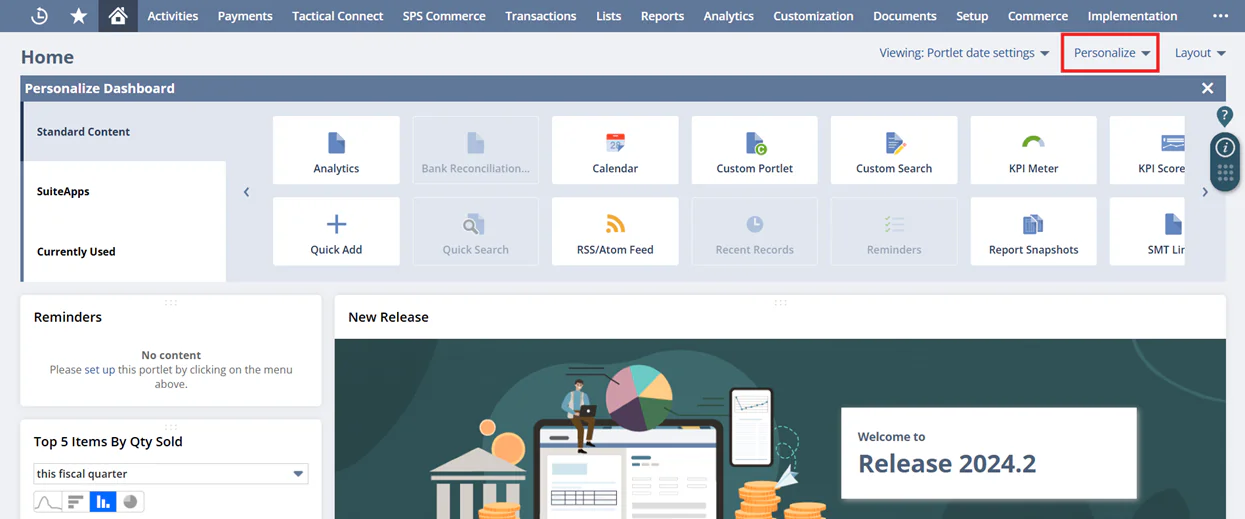
Fig.1.0 Personalize Dashboard
The Personalize section is divided into 3 segments known as
-
-
- • Standard Content: This section helps you to choose widgets as per you daily needs
-
- • SuiteApps: This segment links the widgets installed from a SuiteApp
- • Currently Used: This segment lists the widgets which are already displayed on the dashboard
-
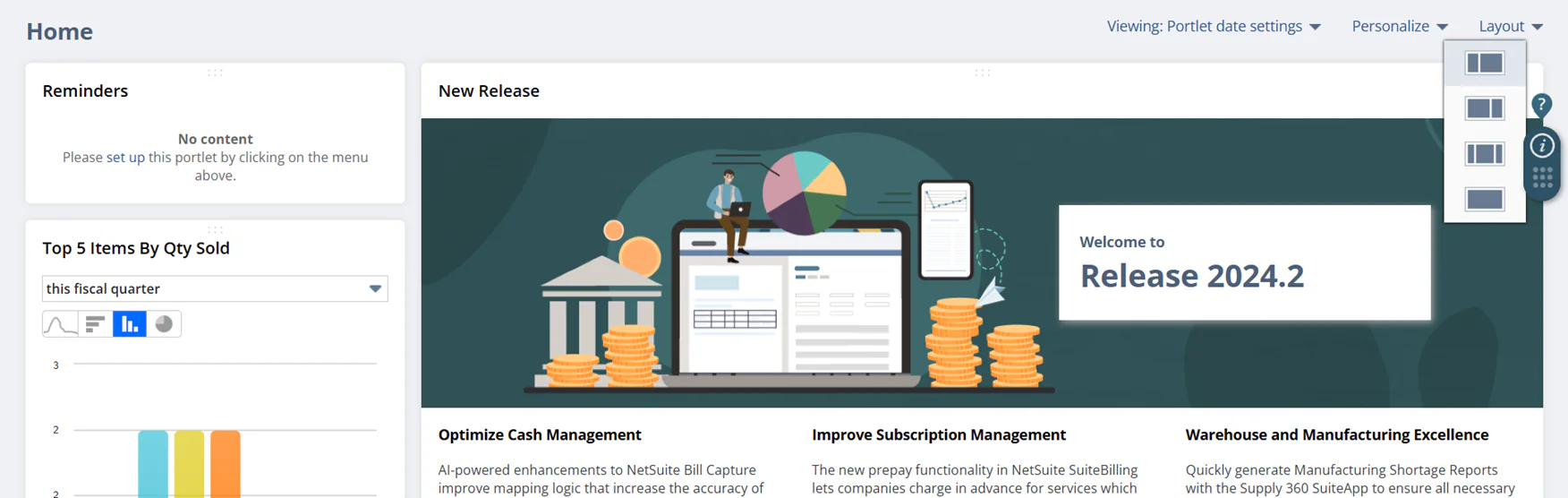
Fig.1.1 Layout of the Dashboard
You can even choose your own layout which helps in further customization (refer Fig.1.1).
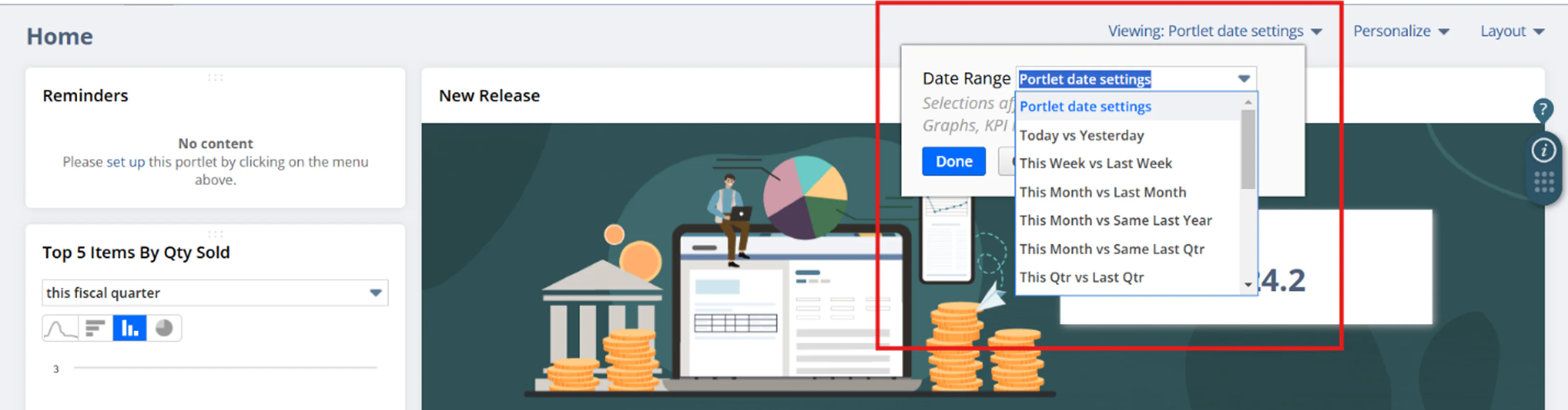
Fig.1.2 Portlet date settings
Portlet date settings help the users to compare the data based on dates. (refer Fig.1.2)
You can see the data comparison such as Today vs Yesterday, This Week vs Last Week,
This Month vs Last Month, etc.
How GIR Team customizes the Dashboard?
GIR uses widgets such as
-
-
- • Reminders: To complete our daily tasks without fail
-
- • Report: To check the top 5 bestselling items in the current month
-
- • Recent Record: Keep a list of recent records visited to complete a few processes
-
- • Bank Reconciliation Summary
- • Key Performance Indicators
-